



Mobile Branch
You can access your SeaComm accounts 24 hours a day, 7 days a week through your web-enabled cell phone or mobile device with Mobile Branch. Easily access your account information, transfer funds or find a branch or ATM right in the palm of your hand.
Getting Started With SeaComm Mobile Branch
- Sign up for SeaComm NetTeller™ if you haven't already.
- Using your web-enabled mobile device, download our app from the Google Play Store or the App Store.
- Gain access to your account information through Mobile Branch by logging in with your NetTeller™ credentials.
Download our SeaComm Mobile Branch app on the Apple App Store or get it on Google Play.


Account Deletion | Mobile app
If you want to delete your app’s digital banking data, use the following options:
- Call us at (800) 764-0566
- Email us at helpdesk@seacomm.org
To close your SeaComm account entirely, you must do so in-person at any SeaComm location or in writing with a letter addressed to: SeaComm, 30 Stearns St, Massena, NY 13662. Once an account has been closed, you will no longer be able to access any information online about your account. Archived statements will be available for 7 years from the date on account closure by written request to the credit union. To remove any cached credentials, simply deleting the Mobile Branch app will remove the saved information from your mobile device.
For further inquiries or information, please call us at (800) 764-0566 or send us an email to helpdesk@seacomm.org
Our Latest & Upcoming
Mobile Enhancements
To provide our members with a top-notch mobile experience, we have several enhancements coming your way! Over the course of several weeks, we will be rolling out new features to our SeaComm Mobile Branch app.
Check out the list of enhancements to learn about our most recent updates and what other features are just around the corner.
For further information on our completed enhancements, browse through the tabs below.
Completed:
Coming soon:
Login
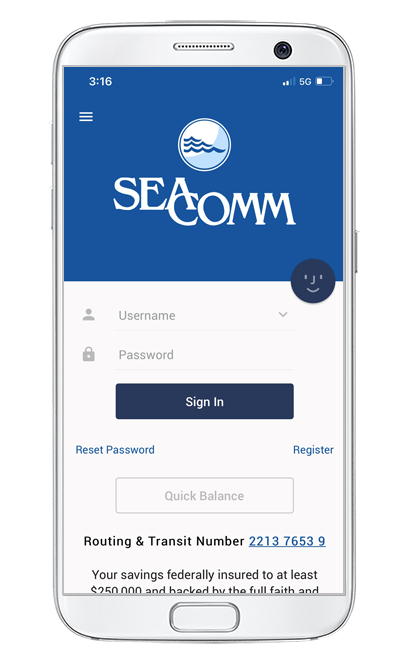
Log in using your NetTeller™ username and password.
If you're using a device that hasn't been registered to your account yet, you will receive a message to the email address we have on file for you. Please follow the steps in the email to complete the setup process.
If we do not have an email on file for you, you will be prompted to contact the credit union to update this information.
Register
If you do not already have a Mobile Branch or NetTeller username and password, you must set one up before using our mobile app. You can do so by tapping on the "Register" link located below the sign in button.
Reset Password
Whether you forgot your password, it has expired, or you’ve locked yourself out with too many password attempts, simply click on the "Reset Password" link located below the "Sign In" button. This will allow you to change your password and/or unlock your account without leaving the app.
Quick Balance
The "Quick Balance" feature allows you to view your balance from this screen without having to log in to your account. For more details and to set up your preferences, click on the "Settings & Quick Balance" tab.
Routing & Transit Number
For your convenience, you can find our routing & transit number located at the bottom of your login screen. It can also be found within the app under the "About" menu option.
View Available Balances
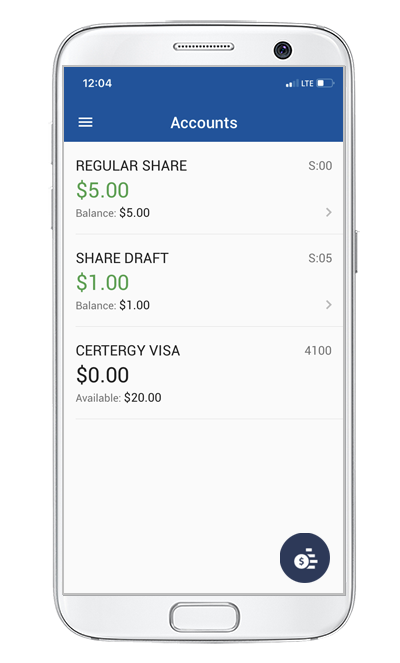
Once you're logged into Mobile Branch, you'll see a list of your accounts along with your available balance on each account.
View Transaction History & Pending Payments
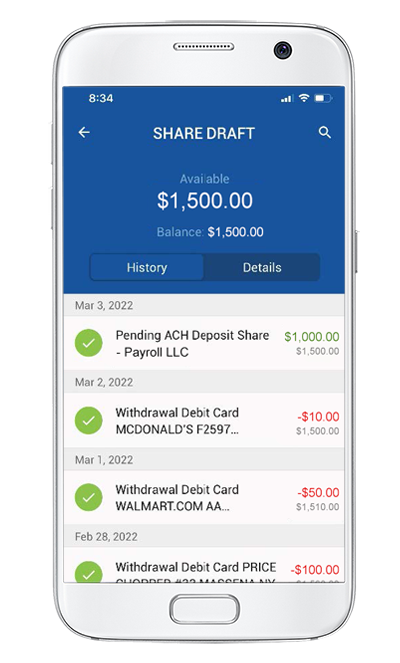
Tap on any of the listed accounts to view your transaction history. If you tap on an individual transaction, you will see details including:
- Date of transaction
- Type of transaction
- Amount & Location
- Running balance
If you are looking for a specific transaction, you can click on the magnifying glass icon at the top right to search for specific words and filter by date range.
Additionally, if you have a pending ACH deposit, you will be able to tap on the transaction to view details such as who the money is coming from, the amount, and the approximate date it will be deposited.*
View Account Details
Tapping on any of your listed accounts will also allow you to view further information by using the "details" tab. From this tab, you will be able to view the following information:
- Account number
- Routing number
- Payment amount & due date
- Payoff amount
*The Pending ACH Transactions list only includes transactions being received by SeaComm for processing. Funds from pending transactions are not guaranteed and may change or be voided by the sender prior to posting. The pending ACH funds will not be included in your available balance until the transaction has been completed in your account on the processing date. Any processing dates listed that fall on a federal holiday or weekend will not be completed until the following business day.
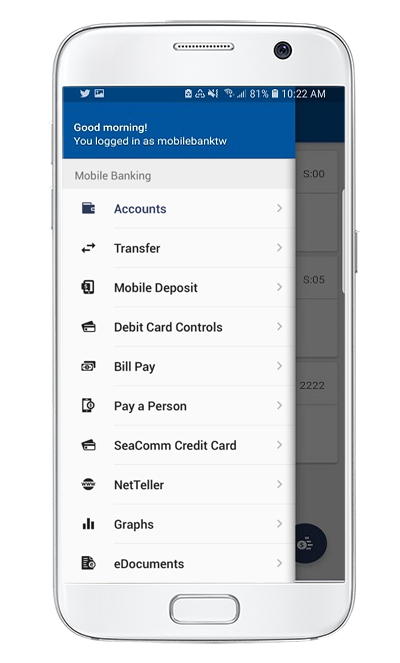
Mobile Branch Main Menu
To view the main menu, you can click on the three white bars at the top left of your screen to reveal the menu options. Select any of the listed features to get started. From these options, you will be able to:
- View your account balances and transaction history
- See your spending patterns
- Transfer money between accounts
- Apply for a loan
- Make payments using Bill Pay
- Deposit checks with Mobile Deposit
- Turn your debit card "on" and "off"
- View your credit card transactions and make payments
- View pre-approved loan offers
- Locate ATMs and find branch locations
- Send secure messages to our help desk
- Set up text banking and text alerts
- Access your NetTeller™ account
- Personalize your settings
Navigate through the menu options for a brief overview of each of these features.
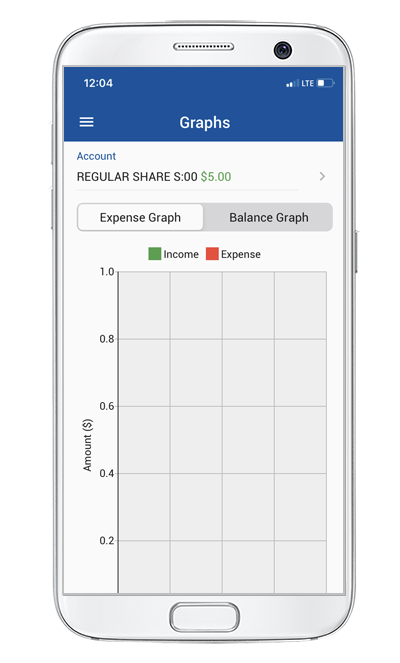
See Spending Patterns
Access this screen by choosing "Graphs" from the main menu. Here you can select which account you'd like to see spending patterns for and view the following:
- A comparison bar graph of your income and expenses.
- A balance graph that compares your income and expenses.
- View time periods that range from 7 days, 30 days, 3 months, 6 months and one year.
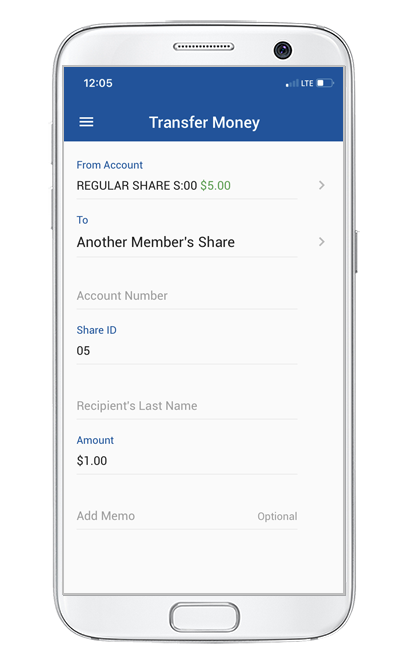
Transfer Funds
To transfer money from one account to another, select the "Transfer Money" option from the main menu. On this screen you will be able to:
- Choose which account you wish to transfer your funds from.
- Select an account that you wish to transfer funds to. You can transfer funds to an account of your own or to another member's account or loan.
- Automatically transfer funds when you press submit.
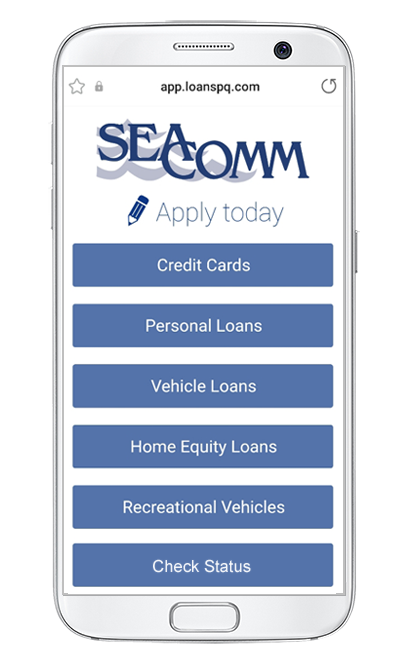
Apply For a Loan
Submitting a loan application has never been easier! Once you’re signed in, just open the side menu and tap on the “Apply for a Loan” option. This will bring you through the steps to securely and conveniently apply for a loan right from the palm of your hand.
Available loans you can apply for within the app include:
- Credit Cards
- Personal Loans
- Vehicle Loans
- Home Equity Loans
- Recreational Vehicles
Already applied? Check on the progress of your application by clicking on the "Check Status" button located at the end of the screen.
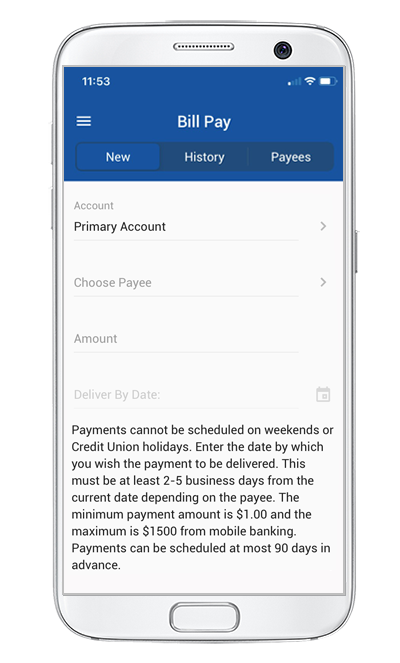
Bill Pay
Make and review payments by accessing the "Bill Pay" option from the main menu. Here you will be able to:
- Pay bills and set payment dates
- View your scheduled monthly payments
- Access your bill pay history and check on payment status
- View your payee list and add new payees
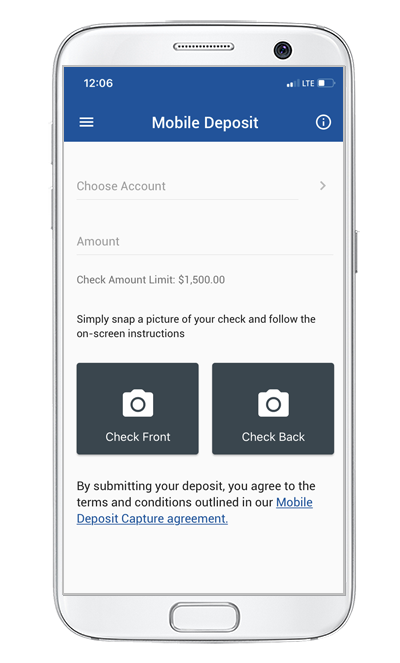
Mobile Deposit Capture
To access this screen, select "Mobile Deposit" from the main menu and enjoy the benefits such as:
- Deposit checks directly to your account
- Eliminate the need to travel to a branch
- Easily make a deposit using your mobile device
Learn more about this service by clicking here.
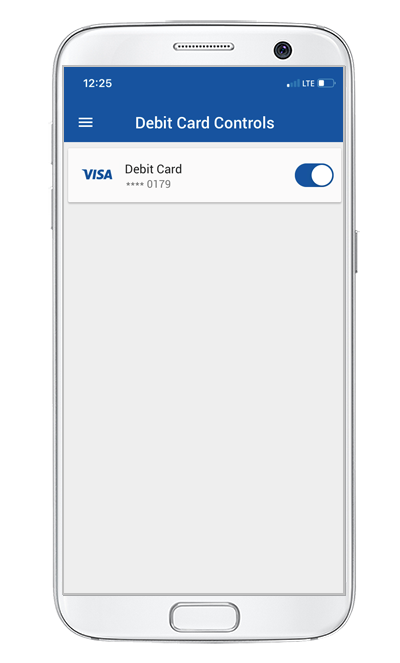
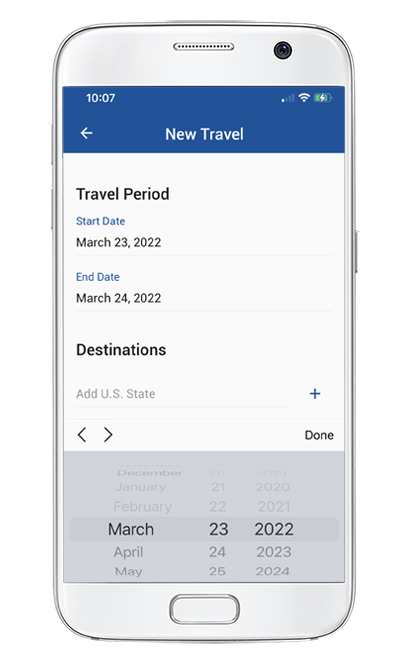
Debit Card Controls
Turn Your Card On/Off
As an added layer of security over your debit card, you can turn your card "on" or "off" in the "Debit Card Controls" menu option.
You can use this feature if your card has been lost or stolen to prevent any possible fraud until you find your card or order a new one. It's simple to use and only takes a swipe of a button.
Travel Notices
If you're planning to be out-of-town, you can submit a travel notice within the "Debit Card Controls" menu option so that we can adjust your card security accordingly. In this tab, easily provide us with your travel details, such as time period and destination, so that your card doesn't accidentally get blocked due to unusual activity while you're away.
Please note that this feature only covers debit cards. If you'd like to place a travel notice on a credit card, please contact our call center at (800) 764-0566.
SeaComm Credit Card
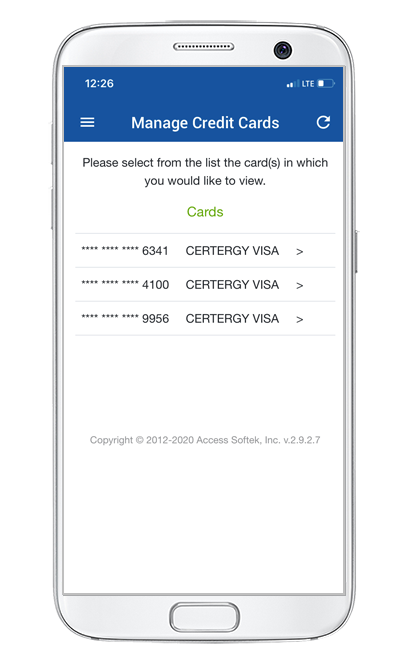
If you have a credit card with us, the "SeaComm Credit Card" option allows you to:
- Make payments
- View transactions
- Set up transaction alerts
- View your balance
- Check your available credit
- See your payment due date
This feature uses eZCard single-sign-on, so you won't need to login again using your eZCard credentials.
My Offers
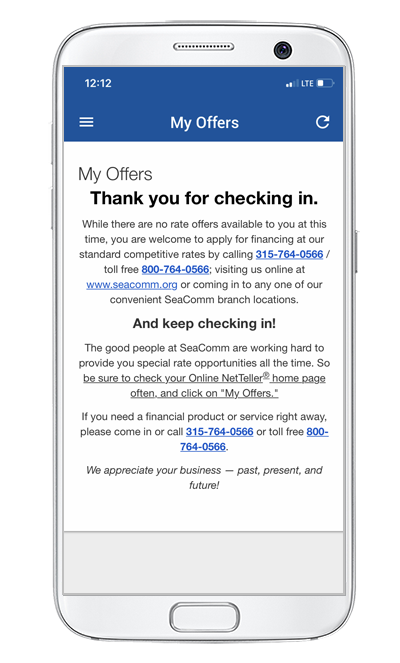
View and accept pre-approved loan offers without having to come into a branch or fill out an application.
If you have offers available to you, you'll be able to find them on this screen. You'll have the ability to access, review, and accept them at any time by following the prompts.
No offers available? Check back at a later time, as offers are updated every 60 days.
Learn more about our LoanEngine™ pre-approval program here.
Locations
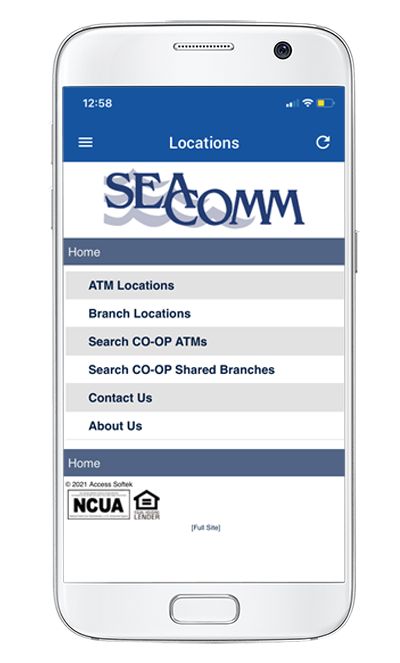
The "Locations" option on the main menu will allow you to:
- Find addresses to our branch and ATM locations
- Search for CO-OP Shared Branches and ATMs
- View our business hours
- Find our phone and fax numbers
- Get directions using Google Maps
Messages
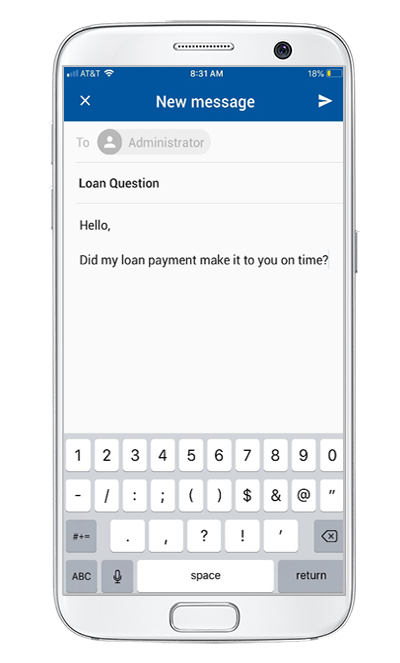
Send secure messages to our help desk using the "Messages" option in the main menu.
This feature provides a two-way communication forum, which has the following functionality:
- Compose and send messages to our help desk
- Receive responses and/or member-specific inquiries from a SeaComm representative
- Receive global messages about important updates and notifications specific to the credit union
- Access your message inbox at any time for future reference
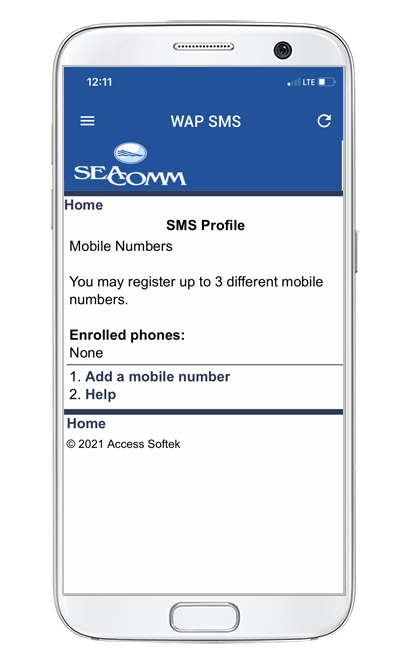
Text Banking & Alerts
The "Text Banking" option on the main menu allows you to sign up for SMS mobile banking. This allows you to send account requests via text message. You can use this service for the following purposes:
- Retrieve account balances
- View your recent history
- Transfer money between your accounts
- Transfer money to make a loan payment
Once you've signed up for text banking, you'll also have the option to set up text alerts. Text alerts can notify you when certain account activity happens, such as a change in your balance, or when your balance drops below a specified amount. You can also request to have an account summary texted to you daily.
PLEASE NOTE: Message and data rates may apply depending on your service provider and data plan.
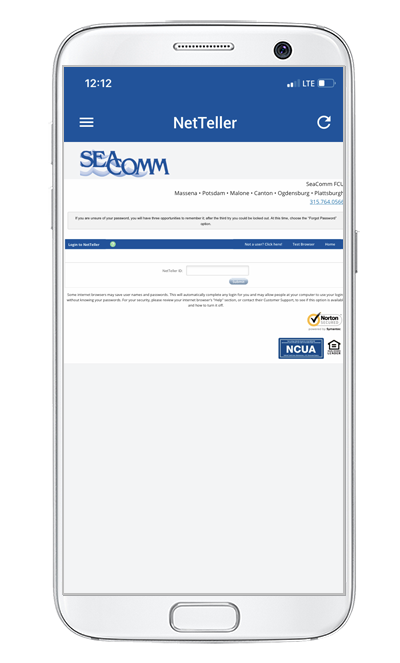
NetTeller™
For your convenience, you can login to your NetTeller™ account by clicking on the "NetTeller" menu option.
This will allow you to update your password, order checks, and more, all without leaving the app. It'll appear just as it does when using a computer.
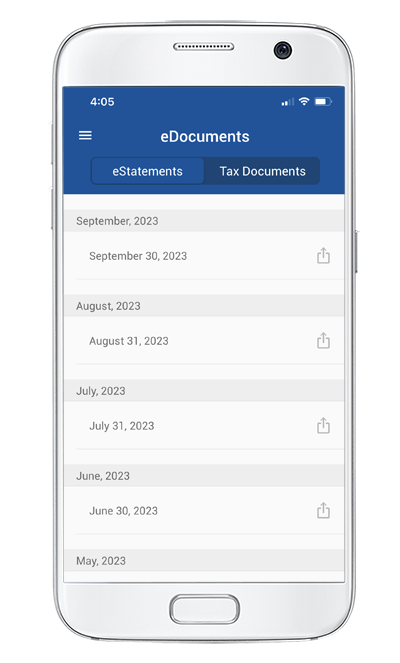
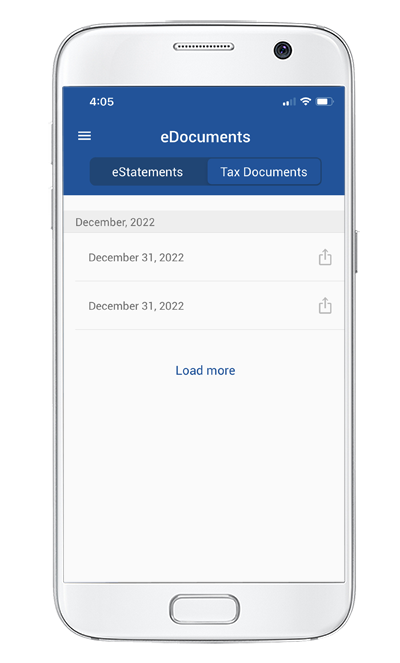
eDocuments
The "eDocuments" tab in the main menu will allow you to view your statements and tax files within the app. This feature can also be accessed through the quick launch buttons on the bottom right of the main menu.
eStatements
Select any date to download and view a PDF version of your monthly statements.
Tax Documents
Find any tax documents that you have available to you under this menu. Tap on the date you'd like to view to download a PDF copy.
Settings
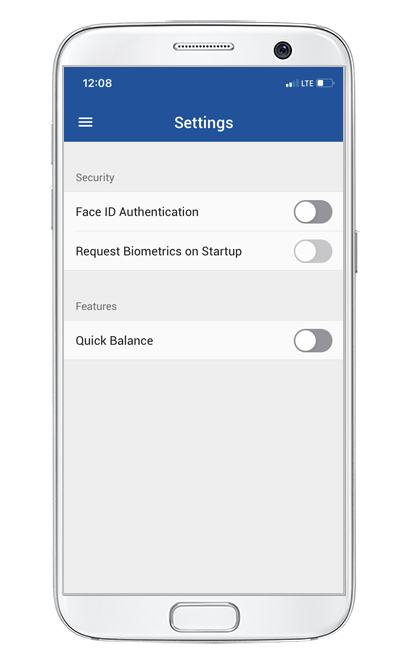
The "Settings" option at the bottom of the main menu will allow you to customize your security settings, make adjustments to the quick balance feature, and access your personal information.
Security
In the security settings, you will be able to:
- Request biometrics on startup
- Turn on fingerprint authorization
- Allow Face ID authentication
Quick Balance
Quick balance features allow you to view account balances on the login screen without entering your credentials. This can be turned on/off according to which accounts you want to make viewable.
PLEASE NOTE: Some features are only available if supported by the device you're using.
Personal Profile
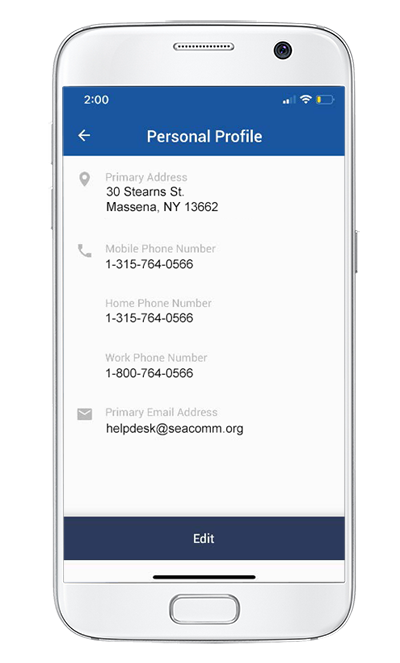
In the "Settings" tab, you will also be able to find your "Personal Profile". Here, you can keep your contact information up-to-date by conveniently changing your email, phone number, and address that you have on file with us.
SeaComm Mobile Branch is free however you may be charged access rates depending on your carrier. Web access is needed to use Mobile Banking. Check with your service provider for details on specific fees and charges. Screenshots were taken using an iPhone. Other operating systems may appear slightly different in design.